The November 21 Crystal Cut 1.3.2 update fixes a surprisingly important problem in the unofficial TimeSplitters 2 native PC port: in widescreen aiming mode, the on-screen crosshair could appear away from the point where the game actually fired. The release aligns the crosshair with the shot, also tackles off-center lamp glows and restores the proper name of an unused Gothic tile set in MapMaker. The port is a fan-maintained recompilation, not an official TimeSplitters rerelease, and players still need their own original disc data.
These improvements are documented in the maintainer's version 1.3.2 release notes, posted on November 21 at 08:20 UTC. This November 22 article is a follow-up explaining the practical impact of that patch rather than presenting yesterday's announcement as breaking news.
Why the crosshair correction matters
A widescreen mode is useful only if the interface keeps up with the expanded picture. In the prior build, moving the crosshair away from the center while aiming could draw it farther out than the actual target point. What looked like a perfectly lined-up shot could land somewhere else. The developer also says the related sniper scope could feel as if it were pushing against an invisible box.
Version 1.3.2 adjusts how those positions are mapped so the indicator and shooting direction agree. This is not a mere cosmetic polish: reliable aiming changes how a player interprets misses in a fast first-person shooter. The maintainers credit community reports and clips for helping identify the problem.
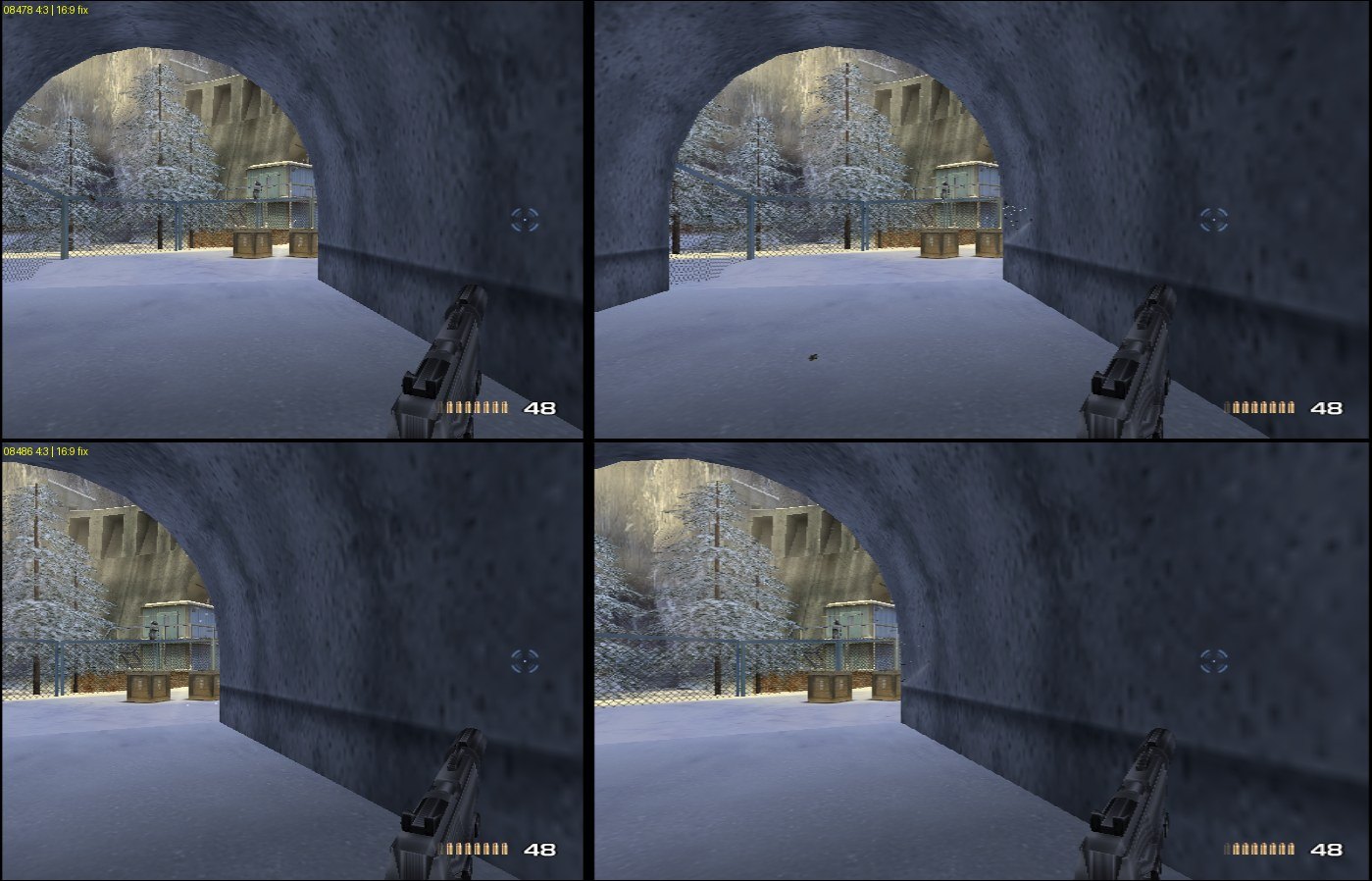
The screenshot provided with the patch shows why before-and-after visual comparisons are especially helpful here. The issue was about the relationship between the field of view, pointer and HUD rather than simply making the image fill a modern monitor.
Light glows and MapMaker also get a correction
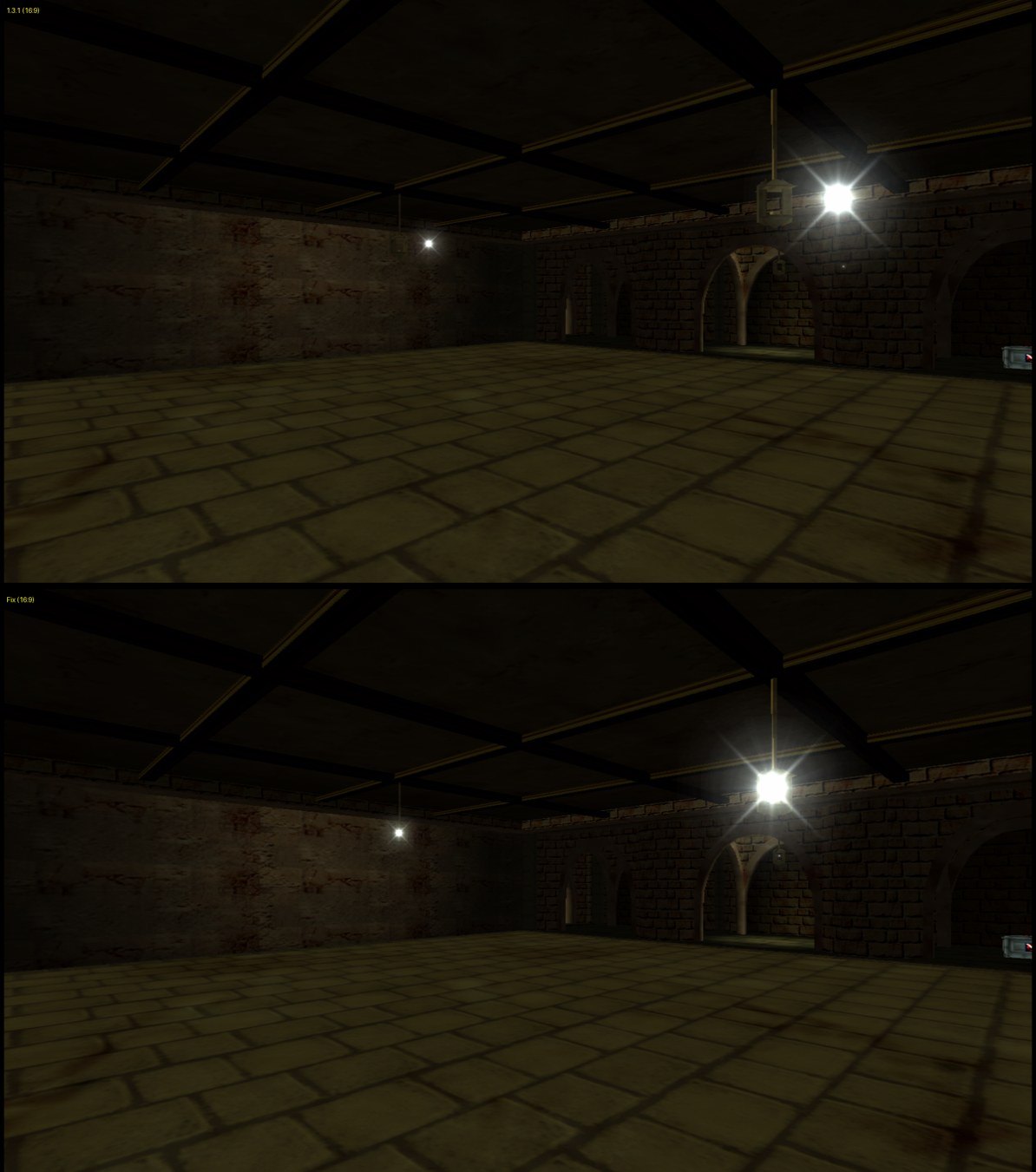
The same widescreen transformation could leave bright glows sitting beside lamps instead of on top of the light source. The patch repositions these effects and keeps them round. That may sound tiny until you notice a bright bloom floating outside the object responsible for it, particularly in dark maps.
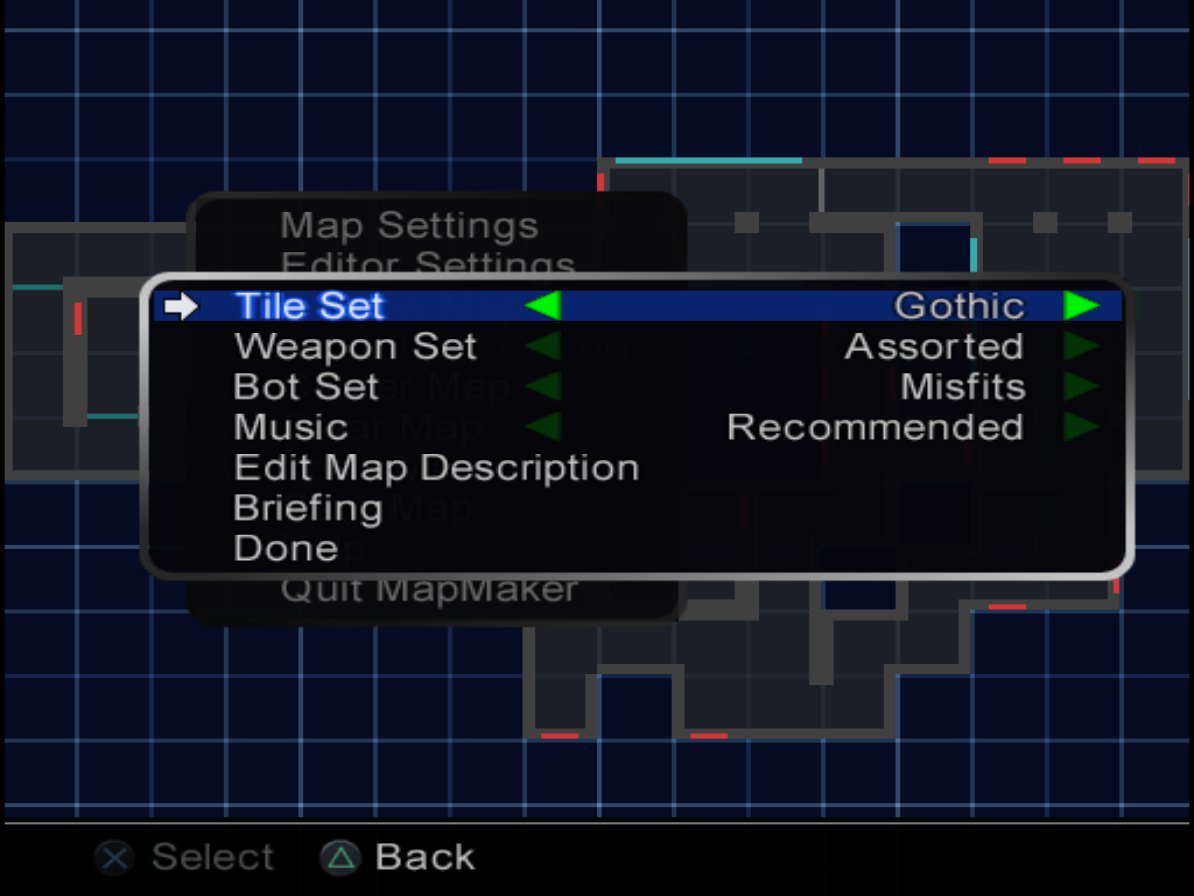
There is also a restoration-related MapMaker change. A Gothic tile set that the project recovered from original disc data was displayed as the number 4. The new release uses its proper historical name, which the developer says was found in the game's own text resources. That distinction is important for preservation: a recovered item should not be described as a newly invented fan asset when its identity was already encoded in the source material.
The developer states that these improvements apply to both the USA and PAL disc versions. That follows the larger Crystal Cut project's attempt to support those original releases through one PC setup while keeping the disc-dependent build process.
Not every widescreen issue is solved
The 1.3.2 notes explicitly list remaining trouble spots. Widescreen tile placement in MapMaker still has an offset; the cause has reportedly been found but the fix is not in this release. The team is also investigating a texture artifact in the level-select screen that some people see, and there are unfinished adjustments around pause-menu edges.
That is a useful reminder that shipping a native recompilation and reproducing every game interface detail are separate tasks. Correcting one coordinate path may expose another screen where assumptions about the original 4:3 layout remain.
The developer reports testing the release package with fresh installations for both regions and playing a bot deathmatch plus the Siberia story level at 60 FPS without errors. This is a maintainer test report, not an independent GameLogNews benchmark, and it does not guarantee flawless behavior on all hardware or every mode.
How existing players can update
The release notes say an existing user can launch Crystal Cut and select Update. Saves and settings should be retained, while the game is linked again automatically, which the maintainer says may take a few minutes. New installations can use the corresponding Windows or Linux package on the official GitHub releases page; Steam Deck is supported through the Linux workflow.
According to the project README, Crystal Cut recompiles the PS2 game's code for native execution on PC, while using components derived from the PCSX2 graphics and audio ecosystem. It does not ship copyrighted TimeSplitters game content. The source disc data must come from the user, and the project is separate from the original game's publisher.
The project also offers split-screen and experimental network features, plus optional restoration of content cut from the original disc. Those broader features were introduced before 1.3.2; the headline changes for this specific update are aiming fidelity, light rendering and a MapMaker label.
Bottom line
If you are already playing TimeSplitters 2 in Crystal Cut's widescreen modes, the crosshair correction is a strong practical reason to update, particularly for precision aiming. Players mainly interested in restored content should still care about its accurate labeling. Anyone evaluating the port for the first time should keep its unofficial and still-evolving status in mind, check the remaining bug list and use the actual release notes rather than assuming a finished commercial remake.
Source date: November 21, 2026