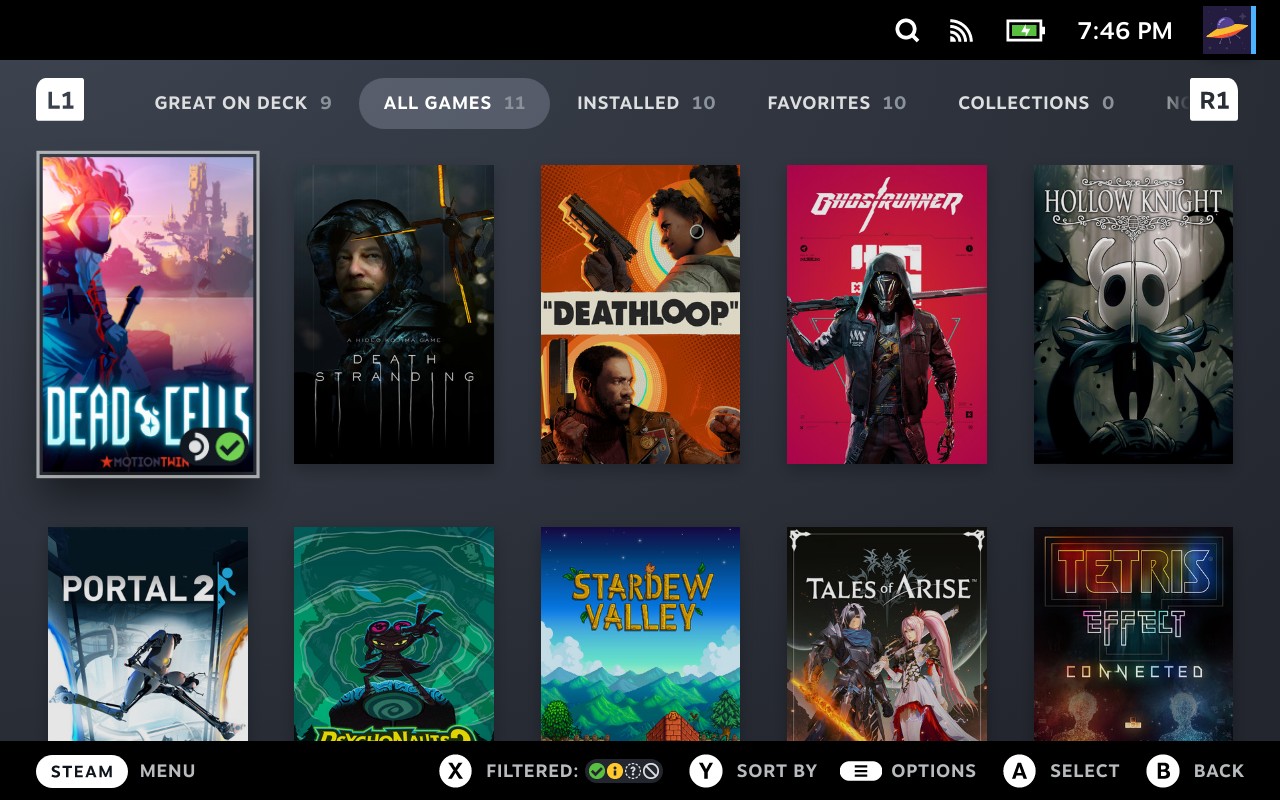
If you are buying PC games for Steam Deck, Verified, Playable, Unsupported and Unknown are four very different labels. A green check mark is useful, but a yellow Playable badge is not necessarily bad news—and Unknown does not mean a title is broken.
Valve's official Steam Deck Verified guide describes how the compatibility program works. It is an ongoing reference, not a new announcement. GameLogNews reviewed Valve's guidance on October 27, 2026, to explain what each status should mean to someone deciding which game to buy or install.
Steam Deck Verified vs Playable: quick comparison
| Badge | Valve's meaning | What you should do |
|---|---|---|
| Verified | Meets all Deck compatibility checks, working without required setup | A strong starting point; still check recent performance reports |
| Playable | Runs, but might need a manual adjustment | Read the exact compatibility notes before deciding |
| Unsupported | Not currently considered playable on Deck | Check the stated reason; do not assume a workaround will succeed |
| Unknown | Official compatibility review is incomplete | Look for reliable current reports; the badge alone proves little |
These badges indicate device compatibility, not the quality of the game, how many hours its battery will last or whether every scene will maintain 60 FPS.
What does Steam Deck Verified actually check?
Valve evaluates four areas for its highest compatibility category.
Input: A Verified game should work with the built-in controller, display suitable controller icons and bring up the on-screen keyboard when text entry is needed.
Display: Text must be readable on a handheld screen, and the game must support Steam Deck's standard 1280 × 800 or 1280 × 720 resolution appropriately.
Seamlessness: Players should not need to fight compatibility warnings or an unmanageable launcher just to start playing. Any launcher should be controller-friendly.
System support: The game and supporting components should work in the Steam Deck environment. Windows games may run through Proton, and incompatible middleware or anti-cheat is an important potential blocker.
Valve lays out these tests in its Steamworks compatibility documentation. A Verified badge is about working correctly and comfortably on Deck, rather than a guarantee of maximum visual settings.
Is a Steam Deck Playable game worth buying?
Often, yes. Playable means the software works, but the player might need to intervene. The reason could be a touchscreen-controlled launcher, manually opening the virtual keyboard or selecting a community controller configuration.
For someone happy to tap through a login screen, such a limitation might barely matter. Someone who wants a console-style experience with no configuration may find it irritating. That is why the detailed notes matter more than the color of the badge.
On a game's Steam Store page, open its Steam Deck Compatibility section and read the listed issues. A small-text warning and an awkward control scheme are very different problems. You can make a more informed decision once you know which inconvenience Valve identified.
Community fixes can also help, but they are not the same as an official Verified rating. Check when a workaround was posted and which game version it covers.
Does Unsupported mean a game can never run?
No. An Unsupported badge reports the current compatibility assessment; it is not a permanent promise that the game will never work. Changes to SteamOS, Proton, launchers or the game itself can lead to a different result later.
Valve says its review system is continuously updated. However, buying an Unsupported game in the hope that an unofficial trick will solve everything is risky. Read the stated incompatibility first, particularly for online games whose anti-cheat systems may prevent normal operation.
Even if a community report says the title launches, that does not prove every mission, video, save function or multiplayer feature works.
What does Unknown mean for Steam Deck games?
Unknown simply means the official evaluation has not been completed. The title might run perfectly, need adjustments or refuse to launch.
This happens because the Steam catalog is enormous and Valve reviews games over time. A newly released or lesser-known game may be Unknown without being fundamentally incompatible.
If you own the game already, trying it yourself is an option. Before spending money, compare recent reports from players on Steam Deck. Community resources such as ProtonDB can add context, but they are separate from Valve's ratings and can become outdated after updates.
How to check a game's Steam Deck compatibility
- Open the game's Steam Store page and locate its Steam Deck Compatibility section.
- Read the detailed reasons, especially for Playable and Unsupported titles.
- If the rating is Unknown, look for recent evidence rather than treating it as a definite failure.
- Check for relevant limitations: controller layout, readable interface text, launcher access, online services and anti-cheat.
- Recheck before purchase. Game updates and compatibility reviews can change the situation.
You can also view compatibility ratings directly in your Steam Deck library. Valve offers a personalized overview of games you own, although signing into Steam may be required.
Are the ratings different on Steam Deck OLED and LCD?
Valve says games keep the same Deck Verified compatibility rating across LCD and OLED models. The two devices have hardware differences, but Valve does not assign a separate compatibility category for each version.
This does not mean measured frame rates, battery life or other real-world results will be identical on both models. The badge is a compatibility classification, not a laboratory comparison of every hardware configuration.
Does a green Verified badge guarantee 60 FPS?
No. Steam Deck Verified is not a fixed-frame-rate certification. A game can satisfy usability requirements while still showing demanding sections, quality-versus-performance tradeoffs or changes in battery consumption.
If you need a particular frame-rate target, check current gameplay measurements of that specific title. Avoid treating a logo on an old screenshot as proof of today's performance.
Steam Deck compatibility FAQ
Can a game go from Unsupported to Playable? Yes. Valve's ongoing tests and software updates can change classifications.
Can an Unknown game still run? Absolutely. Unknown does not mean Valve found that the game failed; it means the official review has not provided a verdict.
Should I avoid every Playable game? No. The required adjustment might be minor. Read the specific explanation first.
Is ProtonDB an official Steam Deck badge? No. It collects community observations and can be helpful as a second opinion, but Valve's Steam compatibility program is separate.
Bottom line: Start with Verified when you want the least friction, judge Playable by its notes, approach Unsupported cautiously and read Unknown as not yet tested. Knowing the difference can prevent disappointing purchases without ruling out good games.
Official sources: Valve's Deck Verified overview, Steam Support's software and troubleshooting guide, and Valve's developer checklist. The hero is an official Valve screenshot of Steam Deck's compatibility badges.
Confirmed details first, useful context second. This is the quickest path to the source trail and the next pages worth opening.
Source date: October 27, 2026