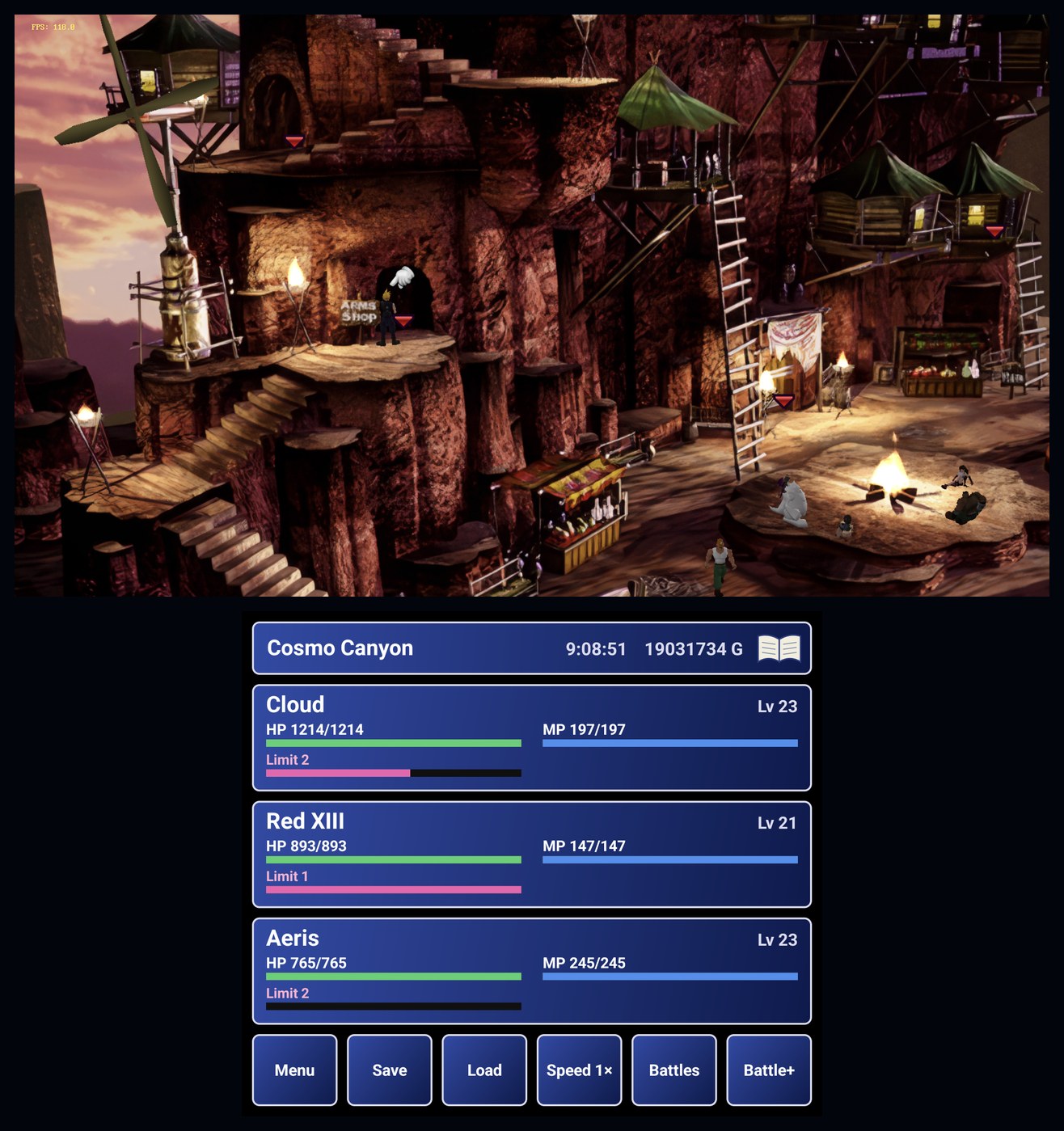
The unofficial native Android port of Final Fantasy VII is moving quickly, but its latest update is about making the experience work rather than adding another flashy feature. Developer bhuiyah published FF7Recomp 1.1.6 on November 15, 2026 at 12:40 UTC. It fixes a blank game screen caused by a dual-display setting and a crash during Steam sign-in or achievement synchronization. If you use an AYN Thor or are considering a dual-screen Android handheld, those details matter more than a headline about theoretical frame rates.
A second screen should not hide the first
FF7Recomp translates executable code from a player's own copy of the PC game into native ARM64 code on Android. It uses the FFNx renderer and provides controls and display layouts designed for Android handhelds. In particular, the lower screen of a device such as the AYN Thor can show party information and other panels while the original game occupies the upper display.
Version 1.1.6 corrects a problem with the Settings → Screen → Swap screens option. On the Ayaneo Pocket DS, the system could move the game to the opposite display after the app had already positioned its companion panels. Those panels then appeared over the game, producing what looked like an empty picture even though game audio continued. The new logic follows whichever display the game actually uses and keeps its information panels on the other.
That diagnosis is unusually helpful: a black or blank screen is not automatically a rendering failure. In this case, the game's interface was obscured by another layer. Users experiencing the symptom can check the newly published build rather than immediately changing graphics backends or reinstalling game data.
The release notes are careful about testing. The author reproduced the behavior on an AYN Thor by moving the game between its displays to imitate the Pocket DS scenario. They say the fix has not yet been tested on a Pocket DS itself. That is a meaningful limitation, not a reason to assume a problem on every dual-screen device is solved.
Steam connection and achievement crash fixed
The same update changes how the app connects when signing in to Steam or synchronizing achievements. According to the developer, one connection path offered by Steam's servers made the app close; the port now chooses the alternative path. That should address this specific crash without changing the normal sign-in and achievement functions.
Again, the evidence is a maintainer release note, not a compatibility guarantee across all accounts and Android devices. Players still encountering a crash should gather logs and submit a reproducible report rather than treating 1.1.6 as proof that Steam functionality is universally reliable.
The official v1.1.6 GitHub release instructs existing players to open Settings → Updates in the launcher, or to install the new APK over the current installation. It may then ask them to update the game once. The page also publishes APK and signing-certificate hashes, useful for checking the intended build rather than installing an arbitrary mirror.
Why the recent smaller patches matter
The developer has shipped several fixes on the same date. Earlier 1.1.x changes addressed OpenGL ES issues on some graphics hardware, a missing-music problem with the FFNx FF7Music mod and a controller-focus problem on the mods page. Version 1.1.6 is not introducing all those features at once; it is the newest maintenance release after a rapid sequence of corrections.
That sequence illustrates the trade-off with experimental native ports: one device may run a game convincingly while another reveals driver, screen-layout or authentication edge cases. It would be misleading to turn every patch into a claim of flawless Android compatibility. What the release history actually shows is active troubleshooting and incremental fixes.
FF7Recomp's README describes more extensive existing functionality: controller and touch inputs, a 7th Heaven-style mod manager, optional widescreen and CRT-like display treatments, portrait layouts and the AYN Thor's second-screen information. Those are background capabilities of the project, not additions made in 1.1.6. The maintainer says development has relied heavily on an AI coding agent and cautions that the code has not undergone an exhaustive line-by-line human review.
What you need, and what you do not get
The APK does not contain Final Fantasy VII game data or game executable code. To use FF7Recomp, you supply compatible files from your own purchased PC copy. The project README explains the supported Steam installation and import process, including why confusing the older 2013 Edition folder with the newer Steam release can lead to an import error. This story does not endorse downloading copyright-protected game files from third-party sites.
The project is neither a conventional PlayStation emulator nor an official Square Enix Android port. It translates and recompiles the player's own PC version, then renders it with an Android-compatible engine. The developer reports performance on particular handhelds, but GameLogNews has not independently tested the new build or measured its battery life, frame pacing or mod stability.
For players affected by the dual-screen blank picture or Steam synchronization crash, 1.1.6 is a targeted update worth checking. For everyone else, the honest news is that the native Android recompilation is being refined in public, with visible fixes and visible testing limits. Use the official release, keep a backup of your saves and treat hardware-specific claims as provisional until there are broader reports.
Source date: November 15, 2026