Amazon Eero Signal Just Killed the "Offline" Excuse Forever
Imagine being one kill away from a flawless victory when your ISP decides to take a nap. We’ve all been there, staring at a "Connection Lost" screen while our rank tanks in real-time, leaving our teammates fuming in the lobby. What this means for players: The days of being held hostage by a shaky local infrastructure might be over, provided you’re willing to pay a premium for a digital safety net.
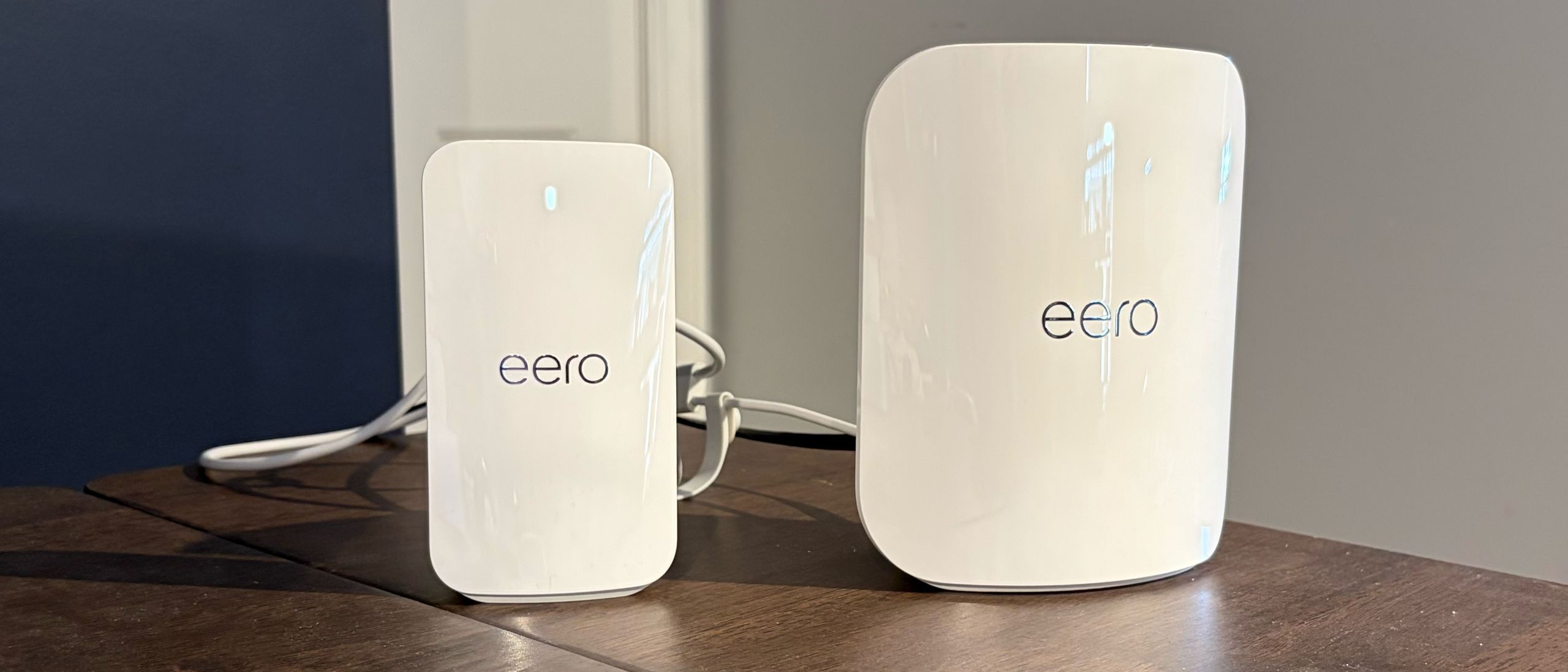

Amazon has officially entered the failover game with the Eero Signal, a dedicated 4G LTE backup device designed to keep your mesh network breathing when the main line goes dark. At a glance, the $99 MSRP looks like a steal for peace of mind. It’s a compact, 0.65-pound box that sits quietly in your setup, waiting for the inevitable moment your primary provider fails. However, for the hardcore gaming crowd, the "peace of mind" comes with some heavy technical caveats that require a closer look at the gameplay loop of your digital life.
Amazon Eero Signal Hardware Limitations
The Eero Signal is not a standalone router. You cannot take this to a cabin in the woods and expect to run a 64-player Battlefield lobby. It is strictly a companion piece for existing Eero mesh systems. This specialization is its greatest strength and its most frustrating weakness. By locking the hardware into the Eero ecosystem, Amazon ensures a seamless handshake between your main router and the backup, but it excludes anyone running high-end Asus or Netgear gaming rigs. If you aren't already team Eero, the entry price isn't just $99—it’s the cost of a whole new network architecture.
Physically, the device is tiny, measuring roughly 3 by 5 inches. It’s designed to be forgotten. But when the lights go out, the Eero Signal wakes up. During testing, the transition from fiber to 4G LTE took approximately 20 seconds. In the world of competitive gaming, 20 seconds is an eternity. You will be kicked from your match. You will lose your connection to Discord. However, by the time you’ve finished yelling at your modem, the Eero Signal has already restored the heartbeat of your home, allowing you to log back in and at least finish the session or avoid a "leaver" penalty.
Eero Plus Subscription Value Trap
The hardware cost is only the beginning of the story. To actually use the Eero Signal, you are funneled into the Eero Plus subscription tiers. The base Eero Plus plan offers a meager 10GB of backup data per year for $99. For a modern gamer, 10GB is a joke. A single "small" patch for Call of Duty or a few hours of high-bitrate streaming will chew through that allowance before the sun sets. If you’re serious about staying online during a prolonged outage, you’re looking at the Eero Plus 1000 plan.
This higher tier grants 100GB of monthly backup data. Amazon is dangling a carrot here, offering the first year at $99, but the price jumps to a staggering $199.99 in the second year. This is where the "affordable failsafe" marketing starts to feel a bit thin. You are essentially paying a secondary ISP bill just for the privilege of a backup. For professional streamers or remote workers whose income depends on 99.9% uptime, the math might work. For the casual Friday night raider, it’s a steep tax on stability.
Real World LTE Gaming Performance
Performance is where the Eero Signal meets reality. Operating on AT&T’s 4G LTE network, the device clocks in at observed speeds of 80 Mbps down and 30 Mbps up. On paper, that is more than enough for gaming. Most modern titles only require about 3 to 5 Mbps of consistent bandwidth to function. The real enemy isn't speed; it’s latency. 4G LTE is notorious for jitter and higher ping compared to fiber or cable. While the Eero Signal will keep you in the game, don't expect to be winning any frame-perfect duels while running on the backup cell tower down the street.
The device is marketed for "basic needs," which in Amazon-speak means video calls and background streaming. In a gaming context, this means the Eero Signal is your lifeline for turn-based strategy, MMO questing, or finishing a single-player campaign that requires an "always-online" check-in. If you try to host a Peer-to-Peer lobby or download a 100GB update on this backup, you are going to have a bad time. It is a digital spare tire, not a performance engine.
The Specialized Backup Tool Verdict
For the niche user who lives in an area with a crumbling power grid or an unreliable ISP, the Eero Signal is a functional, elegant solution to a frustrating problem. It removes the friction of tethering your phone or manually switching networks during a crisis. The integration with the Eero app makes management simple, providing a clear view of how much of your precious 10GB or 100GB data cap remains. It’s a set-it-and-forget-it insurance policy for your digital life.
However, the ecosystem lock-in and the aggressive subscription pricing after year one make it a hard sell for the average consumer. Most gamers would be better served by a high-quality UPS (Uninterruptible Power Supply) for their router or simply using their phone’s built-in hotspot in an emergency. The Eero Signal is a luxury item disguised as a necessity. It delivers on its promise of connectivity, but the cost of that 20-second recovery time might be more than your gaming budget can handle.
Future iterations of this hardware will likely pivot to 5G, offering the lower latency that competitive players actually crave. For now, the reliance on 4G LTE keeps this firmly in the "emergency only" category rather than a viable alternative for high-performance play. If you are already deep in the Amazon Eero ecosystem and find yourself losing work or matches once a month, the $99 entry fee is a small price to pay to stay in the fight.
The landscape of home networking is shifting toward this hybrid model where "always on" is the baseline expectation. Amazon is leading the charge, but they are charging a premium for the privilege of never seeing a disconnect screen again. Whether that's worth $200 a year is a question only your frustrated teammates can answer.
Reliable backup hardware like the Eero Signal will become a standard requirement for professional home offices and serious gaming dens within the next three years. We expect competitors to launch 5G-enabled alternatives that bypass the 20-second switch delay, potentially offering seamless transitions. High-bandwidth satellite backups will eventually challenge these LTE solutions, but for the immediate future, Amazon has secured a significant lead in the consumer failover market.
Frequently Asked Questions
Does the Eero Signal work with any router?
No, it is exclusively compatible with Eero mesh systems and requires the Eero smartphone app for setup and management.
Can I use the Eero Signal as my primary internet?
No, the device is designed strictly as a backup failsafe and requires an existing active ISP connection to function.
What are the maximum speeds of the Eero Signal?
The device utilizes 4G LTE to provide download speeds up to 80 Mbps and upload speeds up to 30 Mbps depending on network conditions.
Tags : #AmazonEero #InternetOutages #BackupInternet #HomeNetworking #SmartHomeTech
Confirmed details first, useful context second. This is the quickest path to the source trail and the next pages worth opening.
Source date: April 17, 2026